
The Ultimate 808 Crash Course For Beginners in FL Studio
Before anything else, there’s one step that makes or breaks everything. If this isn’t done correctly, pretty much everything that follows becomes worthless.
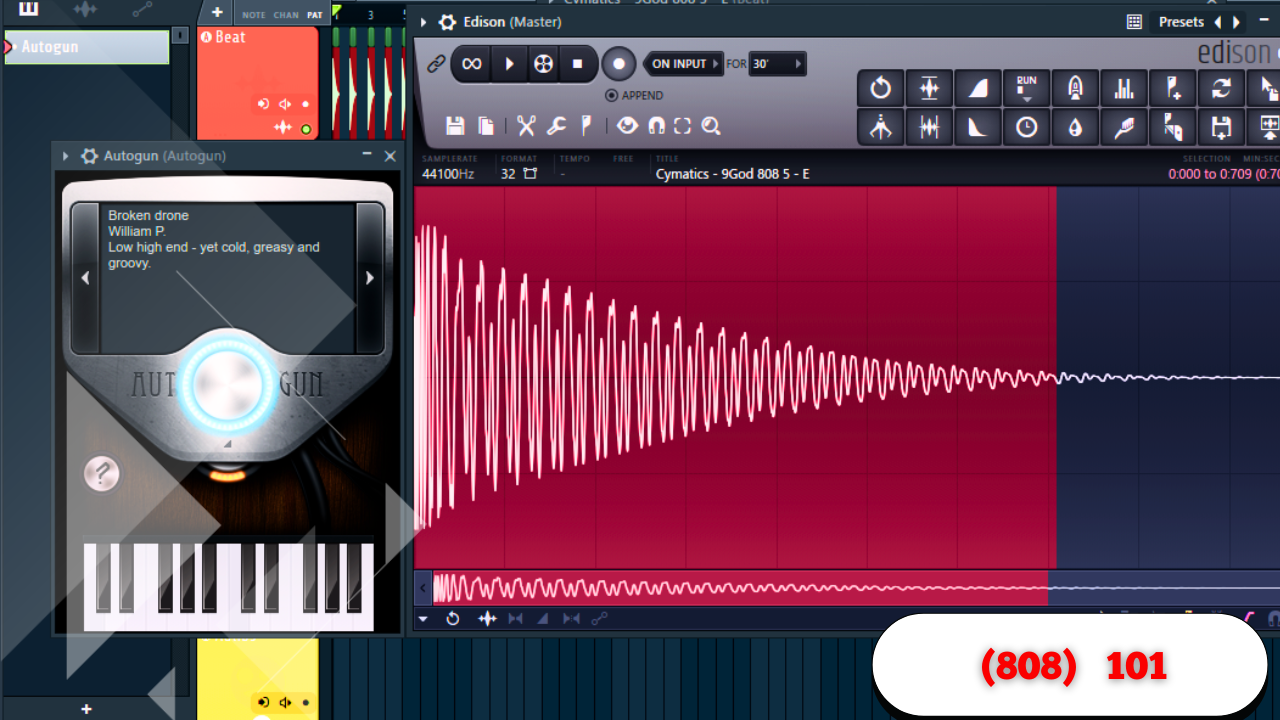
Your 808 must be tuned to C.
This is non-negotiable.
To do this, you simply:
- Open your 808
- Right-click
- Go to Edit
- Open Pitch Corrector
Once it’s tuned to C, you’re good to go.
Another option is using a tuning website like Tunebat. Just drag and drop your 808 sample in. If it says C major, you’re set. If it shows another note—let’s say D—all you need to do is:
- Click the wrench tool
- Select D
- Retune it
That’s it. Simple, but critical.
Why Most 808s Don’t Knock
The biggest reason most 808s don’t hit has nothing to do with the 808 itself.
It’s everything around it.
Cut the Competition
If you’re using melodic elements—pianos, synths, pads—pull up an EQ on them and cut around 200 Hz.
That area is where the bulk of the 808 lives.
If other sounds are sitting there:
- The 808 gets masked
- The low end feels weak
- The mix sounds crowded
Cutting that space gives your 808 room to breathe.
Volume Matters More Than You Think
Another essential rule:
- Your melodies should not be loud
- They should sit significantly quieter than the 808
When everything else is lower in level, the 808 automatically feels louder and hits harder—without needing extra processing.
808 Placement: Where the Power Comes From
Following Chords
If your track uses chords, the most natural place to start is simple:
Put your 808 on the bottom note of the chord.
If that doesn’t sound right, experiment with other notes inside that chord.
Working With Samples
Samples are trickier.
One of the hardest parts of using samples is knowing where to put your 808.
If you don’t know the key:
- Drop the sample into a tuning tool
- Identify the key
For example, if the sample is in A♭ (G♯) minor, your first 808 note should land on G♯.
From there, listen closely:
- If the sample doesn’t change for a while, your 808 doesn’t need to either
- When you hear movement, that’s where note changes make sense
You can also:
- Open the chopped sample
- Use pitch detection
- See which notes are actually being used
That alone can guide your entire 808 pattern.
Simplicity Is the Real Secret
When placing 808 notes, less almost always works better.
A useful approach:
- Focus changes toward the end of every two bars
- Let patterns breathe
- Avoid overplaying
Less is more.
This gives artists space—and honestly, overcomplication is one reason many beats don’t sell. Even when they sound good, they can feel too busy.
Adding Bounce Without Overdoing It
Some easy ways to add movement:
- Shift a note slightly off-grid
- Add a few shorter chops at the beginning of a phrase
- Move one hit later than expected
These small changes create bounce without clutter.
Using Variation to Keep Loops Alive
A simple trick that works every time:
Add variation in bars seven and eight of an eight-bar loop.
You don’t need to rewrite the pattern. Sometimes:
- One extra cut
- One note removed
- One subtle change
That’s enough to make the loop resolve naturally and keep it from getting boring.
The Relationship Between Kick and 808
Your kick and 808 go hand in hand.
Depending on the 808:
- Some are very subby
- Others already have punch at the front
When to Add a Kick
If your 808 is very sub-heavy, adding a kick can help it hit harder. In some cases, placing the kick on the same notes works perfectly.
But with punchy 808s:
- Adding a kick may not change much
- The 808 already does that job
Polarity Makes a Difference
One simple but effective trick is reversing polarity on the kick.
This helps:
- The kick cut through the 808
- Reduce phase issues
- Improve clarity
Turning it on and off can instantly reveal the difference.
Creating Bounce Between Kick and 808
Even if the kick usually hits with the 808, you don’t have to keep it that way.
Some effective approaches:
- Remove the kick in certain spots
- Add the kick where the 808 isn’t playing
- Let the 808 drop out briefly, then come back in
These gaps make the return hit harder and create groove.
Making the Kick Hit Harder With Sidechain Ducking
If your kick still isn’t cutting through, there’s another option.
Instead of traditional volume sidechaining:
- Sidechain your kick to the 808
- Use a frequency-based tool like Soothe2
This method:
- Ducks only the conflicting frequencies
- Keeps the 808 present
- Makes the kick feel louder without reducing overall energy
Adding Interest Without Crowding the Mix
Octave Changes
One of the simplest techniques:
- Take shorter 808 notes
- Push them up an octave
This works especially well:
- Toward the end of four-bar sections
- As subtle ear candy
Using Slides Properly
To slide 808s effectively:
- Use longer 808 samples
- Enable slide mode
- Remember:
- Longer slides = smoother movement
- Shorter slides = quicker transitions
Slides can move:
- Up an octave
- Between nearby notes in the scale
It’s mostly trial and error, but when it works, it really works.
Switching Between Two 808s
Using multiple 808s can sound great—but only if done correctly.
First, they must cut each other:
- Assign both 808s to the same cut group number
From there, you have options:
- Alternate 808s across song sections
- Swap specific hits within a pattern
- Keep the rhythm consistent
Rhythm is everything here. Random switches won’t work.
Reversing 808s for Texture
Another quick technique:
- Click Reverse on an 808 hit
Used sparingly, this creates:
- Unique transitions
- Unexpected movement
- Extra character
EQ and Effects That Actually Matter
Cleaning the Low End
A common approach is cutting:
- 20–30 Hz on the 808
This removes low-end mud and tightens the bass.
However, not everyone agrees. Some engineers avoid this because certain speakers can reproduce those frequencies. It’s optional—use your ears.
Shaping Presence
You can:
- Identify where the 808 hits hardest
- Boost slightly
- Pull out highs to help it stand out
Just be careful:
- Watch for clipping
- Always check your levels
Centering the Low End
The lowest frequencies of your 808 should stay dead center.
Higher frequencies can be slightly wider for extra presence, but the sub needs focus.
A simple way to do this:
- Use a multiband tool
- Isolate the low band
- Collapse it to mono
This keeps the foundation solid.
Saturation: Small Moves, Big Impact
Saturation can completely change how an 808 feels.
Using a tool like Saturn 2 gives control over:
- Harmonics
- Tone
- Weight
But be careful:
- Push it too hard and the 808 gets thin
- Distortion can kill the low end
There’s a sweet spot—find it and stop there.
These are small, precise adjustments, but together they’re what make an 808 hit harder, cleaner, and more intentional.