
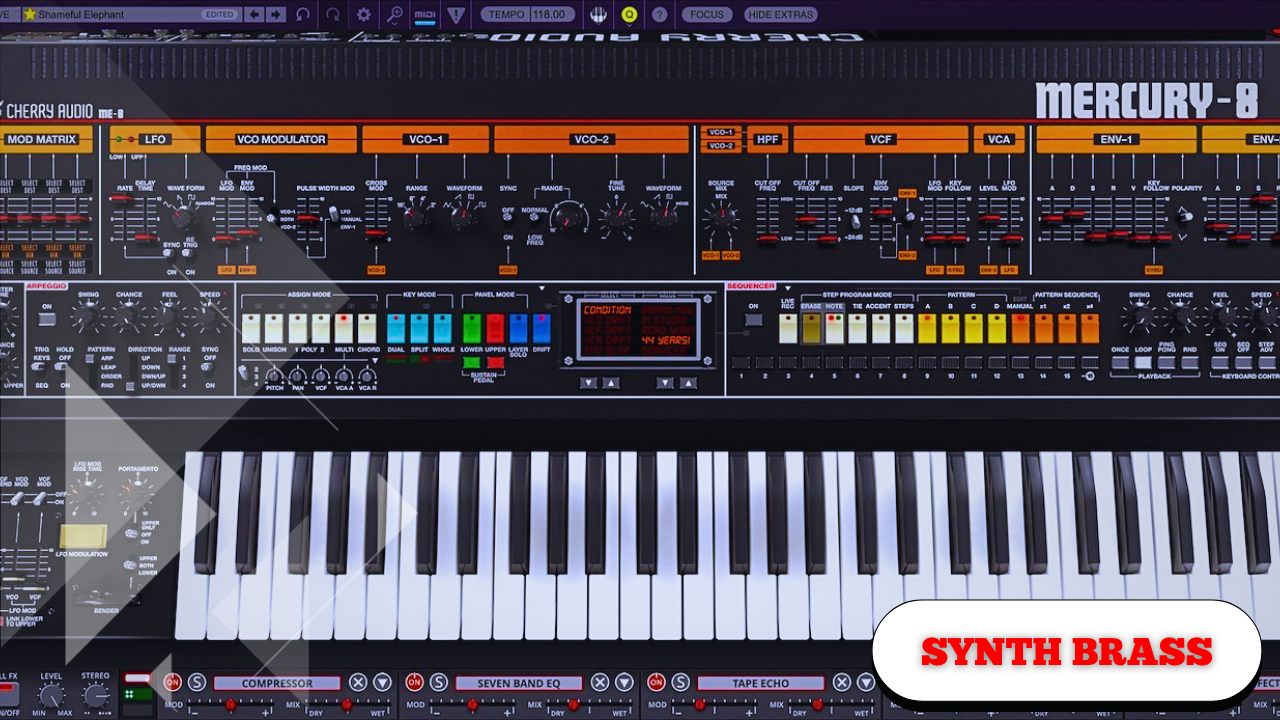
Crash Course on Designing Classic Synth Brass Inspired by the 80s and 90s
Synth brass is one of those sounds that immediately carries emotion, power, and nostalgia. Inspired by the great synthesizers and songs of the 80s and 90s, this approach focuses on building a versatile, expressive brass patch that responds musically to how it’s played.
The goal here is not to rely on a single synthesizer, but to understand the principles behind the sound. Any subtractive synth with basic waveforms, envelopes, filters, and modulation should be able to recreate this patch.
“Depending on how you play it — which register, which octave — you can get a whole variety of different emotion and expression out of this synth.”
Starting From a Clean Slate
The process begins by initializing a preset so everything starts from a neutral, predictable state. This typically loads a basic saw wave, which forms the backbone of classic synth brass.
Most synthesizers provide access to:
- Sine waves
- Saw waves
- Triangle waves
For this sound, the saw wave is essential. It provides the harmonic richness that brass-like patches rely on.
To add density and movement:
- Use two oscillators
- Set both oscillators to saw waves
At this stage, the sound is intentionally raw and overly bright.
Smoothing the High End With Filtering
Straight saw waves contain a lot of high-frequency content. To tame this:
- Enable a low-pass filter
- Route both oscillators through the filter
- Pull the cutoff down slightly
This immediately smooths the sound while preserving its character. The cutoff can be adjusted later, but starting darker makes shaping easier.
Creating Width With Oscillator Detuning
To avoid both oscillators sounding identical, introduce subtle detuning.
Look for controls such as:
- Fine Tune
- Detune
- Unison Detune
Increasing the fine tuning of the second oscillator introduces:
- Phasing
- Movement
- Slight instability
“Hopefully you can hear all the different phasing and warping and sort of wrongness that that introduces to the sound.”
This “wrongness” is not a flaw — it’s fundamental to the character of classic brass synths.
Using Unison Without Overdoing It
Vintage analog synths rarely used excessive unison voices. Instead, they created width through:
- Light detuning
- Chorus
- Modulation effects
To keep things authentic:
- Oscillator A: 2 voices of unison
- Oscillator B: 3 voices of unison
- Detune amount: very low (around 0.1)
Adding too many voices can make the sound feel too modern, losing that vintage identity.
Shaping the Amplitude Envelope
The amplitude envelope controls how the sound starts, sustains, and fades away.
Suggested settings:
- Attack: ~15 ms
- Decay: ~300 ms
- Sustain: slightly reduced (2–3 dB down)
- Release: ~200 ms
This creates a sound that:
- Starts quickly
- Holds its energy
- Releases naturally
The tension of the release curve plays a major role in how the sound fades. A sharper curve feels abrupt, while added tension gives a smoother tail.
Adding Punch With a Filter Envelope
To achieve that classic brass “pluck,” assign a second envelope to the filter cutoff.
Steps:
- Reset the cutoff modulation amount
- Assign Envelope 2 to the cutoff
- Shape the envelope
Recommended envelope settings:
- Attack: ~100 ms
- Decay: ~1.3–1.4 seconds
- Sustain: ~70%
- Release: 200–300 ms
This envelope creates:
- A quick opening of brightness
- A controlled falloff
- A punchy, expressive response
Lower octaves benefit especially from this setup, giving weight and articulation.
Choosing the Right Filter Slope
Filter slope dramatically affects the tone.
- 24 dB/octave: Too aggressive, removes too much high end
- 6 dB/octave: Very gentle, minimal shaping
- 12 dB/octave: Balanced and musical
A 12 dB Moog-style low-pass filter provides the ideal compromise — taming highs without making the sound feel artificial or pad-like.
Adding Subtle Drive for Character
A small amount of filter drive can add:
- Texture
- Attitude
- Harmonic richness
Keep it restrained.
“Making this sound a bit too crunchy isn’t a good thing.”
Around 20% drive is enough to bring the sound to life without overpowering it.
Velocity: The Key to Expressiveness
One of the most critical steps is mapping velocity to oscillator level.
Process:
- Turn oscillator levels down to zero
- Assign velocity modulation to oscillator levels
This means:
- Soft playing = quieter sound
- Hard playing = full, powerful tone
“This makes the synth dramatically more responsive to how you play.”
Optionally, velocity can also be routed to filter cutoff for additional brightness control, but this is left out here to keep the patch broadly usable.
Using an Additional Filter for Tonal Balance
Adding a second filter in the effects section allows fine control over high-end content without reshaping the core sound.
Use this filter to:
- Darken the sound for muted brass
- Open it up for brighter arrangements
- Fit the sound into a mix
Leave the original filter untouched, as changing it alters the fundamental character.
Enhancing Width With Chorus
To add stereo width:
- Enable chorus
- Start with mix at 100% to hear the effect clearly
- Reduce depth
- Keep the rate low
- Pull the mix back to around 50%
The result is subtle but cumulative.
“These sorts of effects add up to make quite a big difference overall.”
Placing the Sound in Space With Reverb
Reverb is used sparingly:
- Cut excess low end
- Adjust mix to taste
This determines whether the brass feels:
- Tight and dry
- Spacious and cinematic
There’s no fixed setting — it depends entirely on the track.
Adding Dimension With Delay
A subtle ping-pong delay adds movement and rhythm.
Tips:
- Filter both highs and lows
- Use eighth or quarter notes
- Keep the mix low
Short chords reveal the stereo motion, while longer chords create swirl and depth. The delay complements the reverb rather than dominating the sound.
Modifying the Patch: Waveform Selection
Basic saw waves can sound too perfect. Vintage synths rarely were.
Experiment with:
- Rounded saw waves
- Textured analog-style waves
These naturally soften the tone and reduce the need for heavy filtering.
“They’re very rarely perfect… they’ve got all sorts of extra harmonic content.”
Introducing imperfection makes the sound more believable and musical.
Modifying the Patch: Adjusting the Attack
Changing the attack of the amplitude envelope dramatically alters the role of the sound.
- Fast attack: punchy brass stabs
- Slightly slower attack: pads and atmospheres
For bass applications, adding a tiny amount of attack can:
- Mimic sidechain behavior
- Help the sound sit around the kick
- Improve groove without compression
It’s subtle, but effective when used carefully.
Designing for Feel, Not Perfection
This approach prioritizes interest over perfection. Clean, flawless sounds often lack character, especially when emulating classic hardware.
Adding:
- Drift
- Detune
- Texture
- Dynamic response
helps the synth feel alive, expressive, and emotionally engaging — exactly what classic synth brass is known for.