
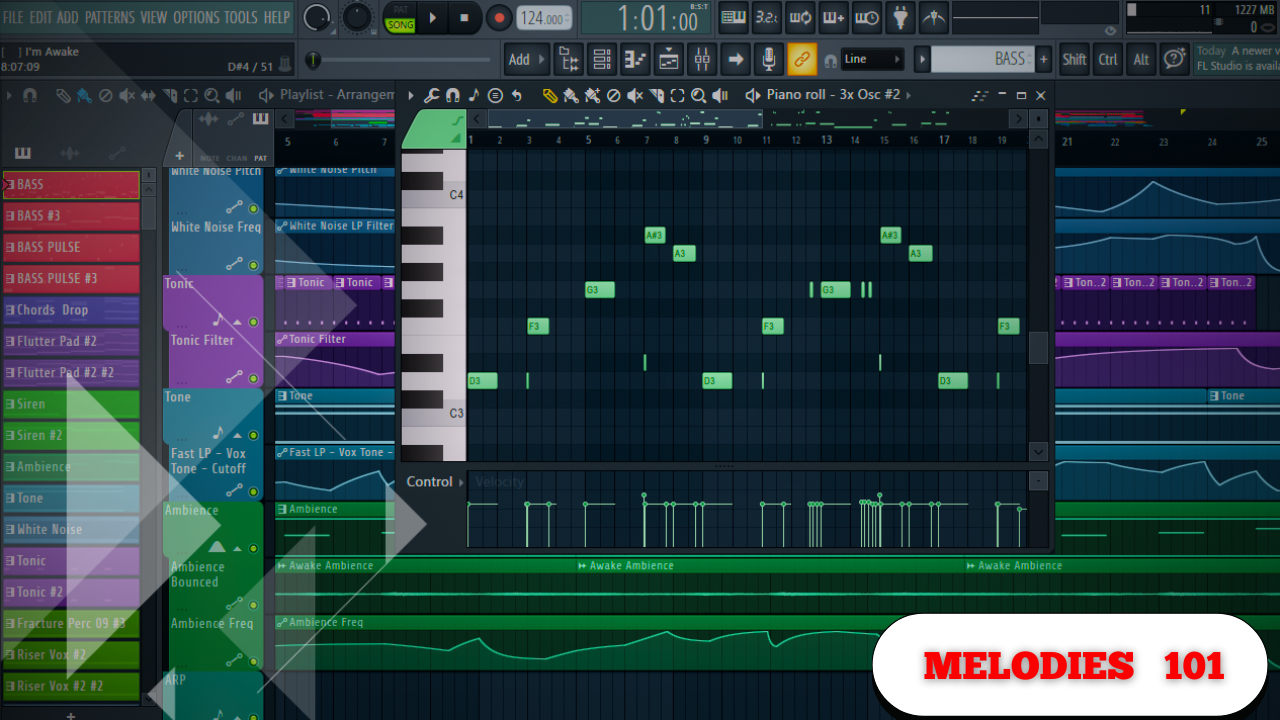
Crash Course on MELODIES in FL Studio.
Creating strong melodies does not require endless tutorials or genre-specific formulas. When you understand a few core principles, everything starts to connect. The foundation, the sound choices, the spacing, and the polish all work together. Miss one step, and everything built on top of it suffers.
What follows is a complete breakdown of the melody-building process — from the very first note to the final EQ decisions — using practical, repeatable techniques that apply across genres.
Chords Come First
Chords are non-negotiable. Almost every genre relies on them, and everything else is built on top of your chord progression.
If you mess up the chords and move on anyway, it’s just not going to sound how you want.
Start One Note at a Time
The simplest way to begin any progression is to focus on four notes that sound good together.
- Pick any note that feels right
- Duplicate it
- Move the notes up in intervals
- Listen first, adjust second
This approach removes complexity and lets your ear guide the process.
Understand Major and Minor Chords
Once your base notes are in place, you can shape them into major or minor chords.
- Minor chord
- Two spaces between notes
- Major chord
- Three spaces between notes
A helpful visual cue:
- If notes line up vertically in your piano roll, they usually sound good together
- If they don’t align, they often clash
When you see notes lining up, it’s usually an indication they’ll work.
Making Chords Sound Bigger and Fuller
After the basic structure is working, you can expand the sound.
Extend the Bottom Notes
One easy technique is to duplicate the lower notes and drop them down an octave.
This:
- Adds weight
- Makes the chord feel fuller
- Strengthens the low-end presence
Adding Complexity with Seventh Chords
To make chords more interesting, convert them into seventh chords.
You can do this by:
- Moving a note up two spaces
- Or moving it up three spaces
Another effective option is repeating a note across all chords, creating a consistent tonal anchor.
That single repeated note can glue the whole progression together.
Opening Up the Sound with Transposition
To make chords feel more open and dynamic:
- Duplicate a note
- Transpose it up to a higher pitch of the same note
This spreads the harmony across octaves and adds depth without clutter.
You can also:
- Add extra notes that visually line up
- Test placements quickly
- Keep what enhances the progression
Creating Rhythm Inside Chords
Static chords can sound lifeless. Rhythm brings them to life.
Chop and Re-arrange
- Shorten some notes
- Offset others
- Introduce a subtle rhythmic pattern
If the sound feels too bright:
- Select all notes
- Shift them down slightly
This keeps the harmony intact while changing the key.
Humanizing the Performance
Real instruments aren’t played perfectly.
To recreate that feel:
- Slightly adjust note start times
- Vary note lengths
- Avoid perfectly aligned notes
Quick Humanization Tools
- Adjust velocity to change how hard notes are hit
- Use strumming to stagger note timing
You’re not hitting every key at the exact same time — and neither should your MIDI.
A Simple Trick for Chord Progression Flow
If you ever get stuck on what chord to use next:
Move the chord up or down five steps.
Count:
- One
- Two
- Three
- Four
- Five
This works every single time and keeps progressions moving naturally.
Sound Selection: Choosing the Right Layers
Sound selection becomes especially important once you start layering.
Layer with Purpose
When adding a new sound, ask:
- What is the original sound missing?
For example:
- If your main chord sound is soft and airy
- Layer it with something less airy to balance it out
Avoid layering just for the sake of it.
Creative Layering Techniques
You can also:
- Duplicate the same sound
- Shorten its length
- Change its octave
This can:
- Add brightness
- Introduce movement
- Create contrast without clutter
If a layer doesn’t work, replace it quickly and move on.
Counter Melodies: Where Most Producers Struggle
Counter melodies are often where things fall apart.
You can make great-sounding beats, but if you don’t leave space, artists can’t use them.
Start Inside the Chord
A simple method:
- Pick notes already inside the chord
- Then introduce one note outside the chord for tension
That slight deviation creates interest without overpowering the main melody.
Filling Space Without Overcrowding
If you want to fill space but keep the melody usable:
- Copy existing notes
- Turn them into an arpeggio
- Adjust the timing
This adds motion while keeping the melody:
- Singable
- Wrappable
- Easy to follow
The Ultimate Test
If you can hum it, you can sing it. If you can sing it, you can rap on it.
If you can’t hum the melody, it’s probably too complex.
The Two Essentials That Make or Break Melodies
Before adding effects, there are two things that must be right.
1. Leveling
Volume balance matters more than most people realize.
- Decide what should be loudest
- Counter melodies are often too loud
- Instruments typically sit around -15 dB
Many counter melodies work best when tucked slightly behind the main elements.
2. EQ: Shaping and Creating Space
EQ is one of the most important tools you have.
Think of it as a way to:
- Remove unwanted frequencies
- Reduce clashes between sounds
- Emphasize what matters
If sounds compete:
- Cut unnecessary frequencies
- Carve space for each element
Common practice:
- Brighten sounds selectively
- Cut around 200 Hz when preparing for bass or 808s
EQ isn’t about making things louder — it’s about making things fit.
By focusing on strong chords, intentional sound selection, space-conscious melodies, and proper leveling and EQ, you create melodies that sound polished, usable, and professional — without unnecessary complexity.